Table of contents
Open Table of contents
Introduction
I am writing this blog post during my apprenticeship in ASU SEFCOM Lab, a place I would say a perfect paradise for me since the start of my security journey XD. During a very boring debugging session with angr and a precessor project, Operation Mango; I have touched some active drivers in my laptop and found out that this driver is still being used by ASUS ROG Zephyrus G14, as a part of the ARMOURY CRATE application. In this post, I will talk about the background of my “re-discovery” of this CVE and also my PoC for this driver.
Disclaimer
-
This driver, according to the time that I am writing this blog post, seems still be used by several vendors. If you saw them used (like in my case, which I will introduce in some next parts), please report to the vendor for the good :X
-
I’m not claiming responsibility for finding the vulnerability, as Zeze from TeamT5 has reported it to AMD since 2023. I only found it is still being used in ARMOURY CRATE Service Core in ASUS ROG Zephyrus G14 laptop and maybe some other models. At this point, as there is no PoC publicly available, and also I want to take a short intro of what I have done with the project in SEFCOM, I have engaged in developing the PoC for the CVE and also to… write :)
-
Up to today (01/12/2024), this post is still being hidden from any public source of my blog.
Background
So during last several months, while inting on Flare-on 11, I have worked on a project on building a static analyzer to find vulnerable Windows Kernel Driver, for a very specific bug class is taint-style ones, like abusing some critical APIs such as MmMapIoSpace, ZwMapViewOfSection, etc. There will be a blog post specifically for the project (and hopefully a research paper if I am lucky enough :D).
At first, I have almost no knowledge about exploit development on Windows. Actually, when my supervisor, Professor Ruoyu “Fish” Wang (may I mention you during the post as “Fish”?), first introduced to me the project, I literally didn’t know any thing about Windows Internal XDDDD. Within the project time, I have learned so much about Windows Internal, from taking the OST2’s Windows course (highly recommended!), doing some exploit here and there in HackSysExtremeVulnerable Driver (again, extremely recommended!), which I felt so much better in understanding Windows stuff :X.
And before the Thanksgiving holiday, I am having almost around 01 month in SEFCOM. I am rushing to finish the project (at least to somewhat extend, I can continue finishing it when I am back to Vietnam). And during a very boring debugging session, I have gone and checked around several drivers in my laptop and, very fortunately, I have founded a vulnerable one, which is the AMDRyzenMasterDriver.sys, delivered along the ARMOURY CRATE application. About ARMOURY CRATE, it is a program that is delivered with some ASUS ROG notebooks model, which can be used to change the hardware stuffs such as fan speed, CPU, GPU, etc. or lights in the notebook model.
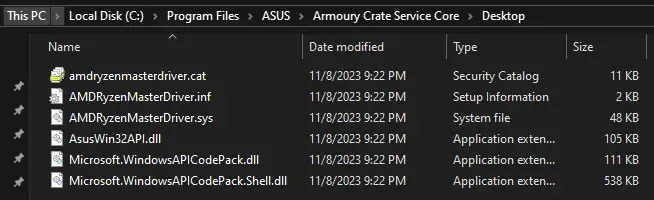
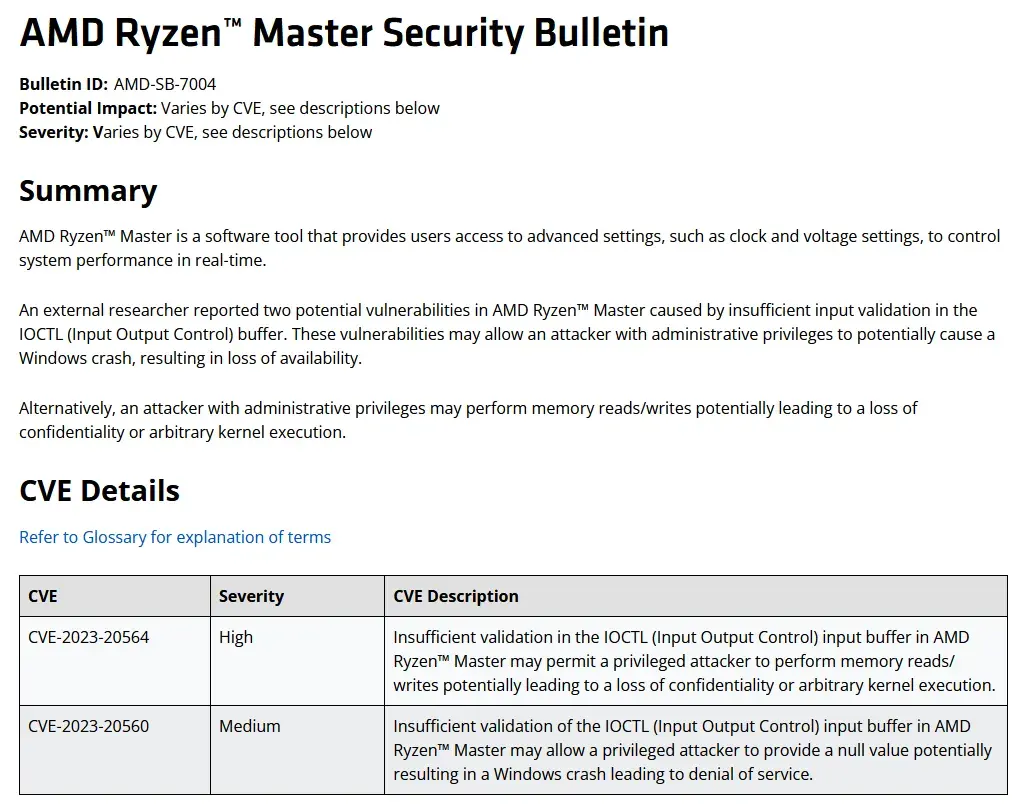
So after finding and confirming that the driver is vulnerable, Fish and me have checked around and… it is reported over one year ago :X
But anyways, let’s dive into the analysis part!
Driver Analysis
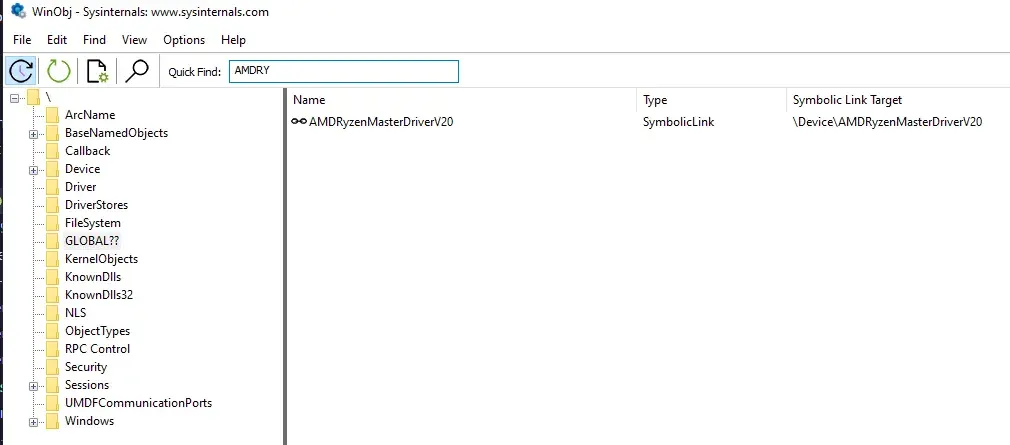
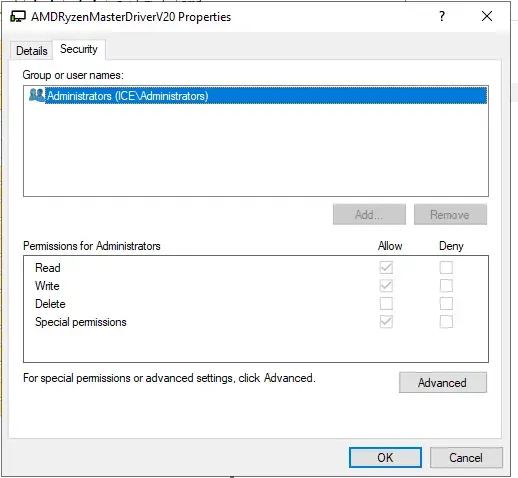
Firstly, for the privilege part. This driver is loaded as only available for Administrator user. So in order to interact with it, you must be in an elevated shell. (Run as administrator thingy). You can check it with the WinObj tool in SysInternal Ultilities
Reversing the driver
Reversing this driver is a little bit interesting to me. It’s a WDF driver, but seems still having a lot of Windows Driver Module stuff which I worked a lot with the project. I didn’t count specifically, but seems like there are around.. a lot of IOCTLs defined by it :D
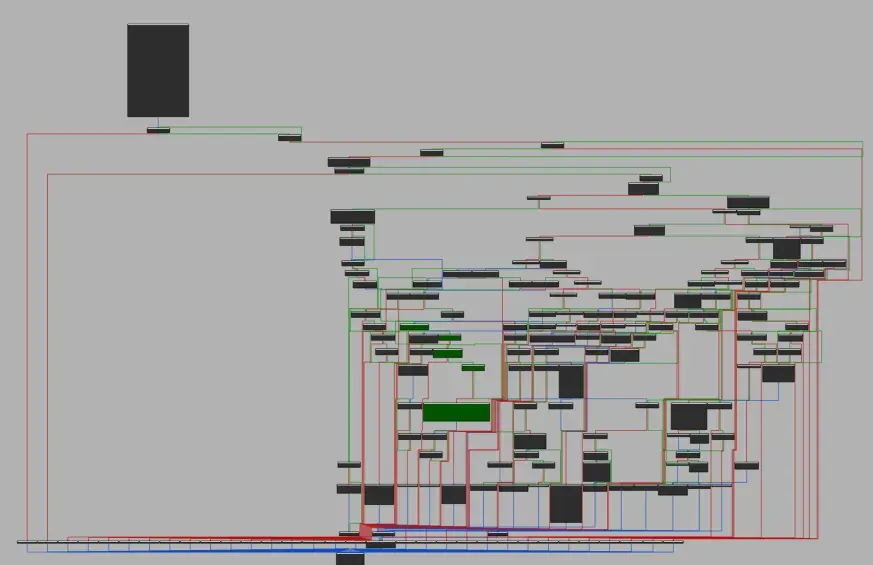
Also, at the beginning of the DeviceIoctlHandler function, there is this weird thing:
if ( irp )
    {
      irp->IoStatus.Information = 0LL;
      SystemBuffer = irp->AssociatedIrp.SystemBuffer;
      CurrentStackLocation = CAMSchedule::GetEvent(irp);
      ...
    }
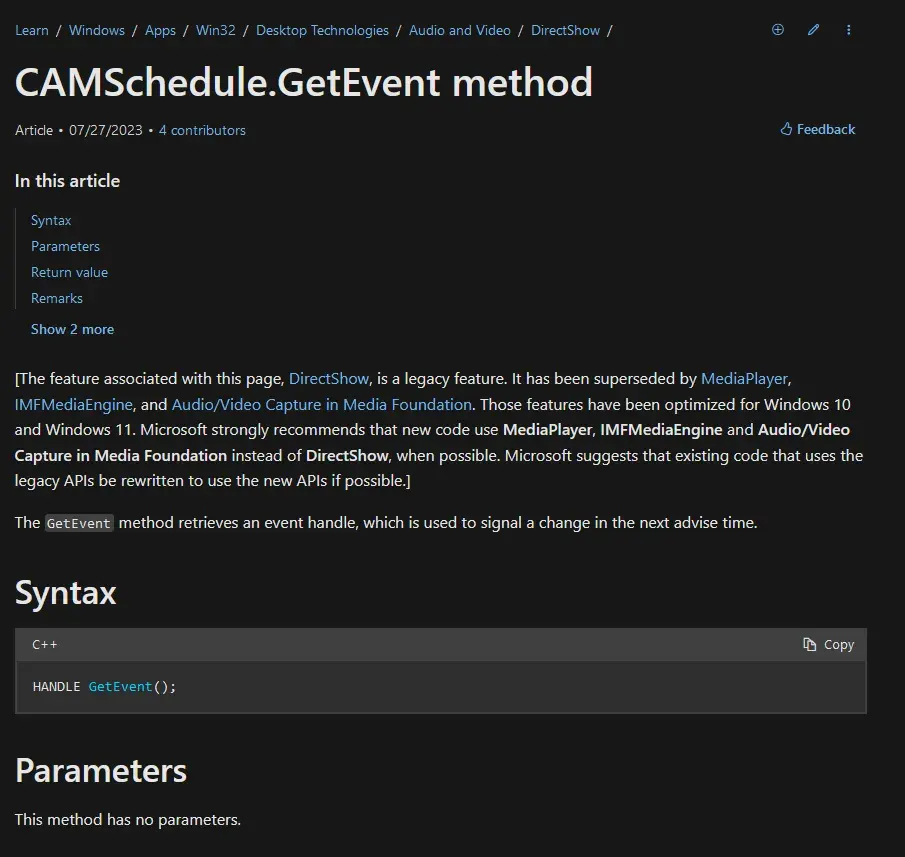
When I go check the CAMSchedule::GetEvent() stuff, I am a little bit concerned what da hell is going on. From the Microsoft Document, seems like it is not related to irp at all :/ But turned out… it is just a method that took the current stack I/O location. This could be a note to myself in reversing Windows Kernel Driver stuff xD
struct _IO_STACK_LOCATION *__fastcall CAMSchedule::GetEvent(PIRP irp)
{
  return irp->Tail.Overlay.CurrentStackLocation;
}
The vulnerable IOCTL codes
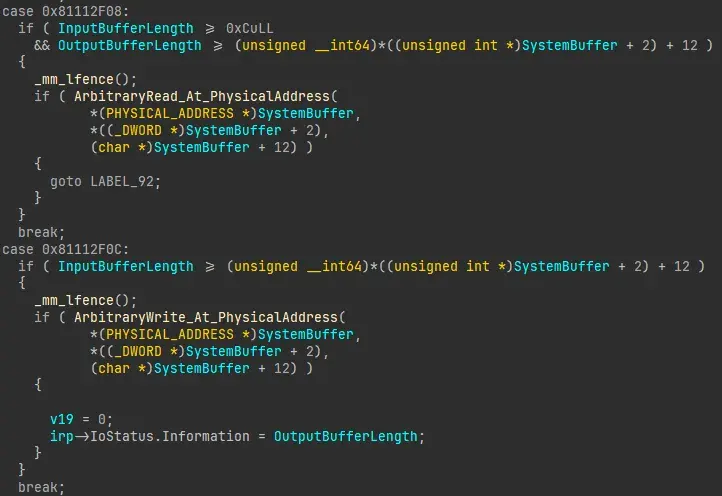
So, two vulnerable IOCTL code is 0x81112F08 and 0x81112F0C, these two IOCTL codes provide a straghtforward arbitrary read/arbitrary write into Physical Memory via MmMapIoSpace API that have the parameters directly controlled by IRP->AssociateIrp.SystemBuffer provided by userspace process.
0x81112F08
The IOCTL code 0x81112F08 corresponding to an arbitrary read from a user-specified range of physical memory. The layout of the input buffer struct is:
struct user_buffer {
	PHYSICAL_ADDRESS PhysicalAddress;
	unsigned int size;
	BYTE buffer[size];
}
// IOCTL code 0x81112F08
char __fastcall ArbitraryRead_At_PhysicalAddress(
PHYSICAL_ADDRESS PhysicalAddress,
unsigned int length,
PVOID target_virtual_addr)
{
char v4; // [rsp+20h] [rbp-28h]
unsigned int i; // [rsp+24h] [rbp-24h]
_BYTE *BaseAddress; // [rsp+28h] [rbp-20h]
v4 = 0;
BaseAddress = MmMapIoSpace(PhysicalAddress, length, MmNonCached);
if ( BaseAddress )
{
switch ( length )
{
case 1u:
*(_BYTE *)target_virtual_addr = *BaseAddress;
break;
case 2u:
*(_WORD *)target_virtual_addr = *(_WORD *)BaseAddress;
break;
case 4u:
*(_DWORD *)target_virtual_addr = *(_DWORD *)BaseAddress;
break;
case 8u:
*(_QWORD *)target_virtual_addr = *(_QWORD *)BaseAddress;
break;
default:
for ( i = 0; i < length; ++i )
*((_BYTE *)target_virtual_addr + i) = BaseAddress[i];
break;
}
MmUnmapIoSpace(BaseAddress, length);
return 1;
}
return v4;
}This IOCTL code’s function will map the physical address with MmMapIoSpace, and then copy the content in the range and return to the IRP->AssociateIrp.SystemBuffer, which is available in the lpOutBuffer parameters in the DeviceIoControl API in userspace. Notably, there is a check of the size of the input buffer and output buffer before this function is called. Basically you need to provide the lpInBuffer that has length >= 12 (8 for the address, and 4 for the size). The lpOutBuffer is also required to have length >= 12 + the size, as it holds the buffer out.
BOOL DeviceIoControl(
  [in]                HANDLE       hDevice,
  [in]                DWORD        dwIoControlCode,
  [in, optional]      LPVOID       lpInBuffer,
  [in]                DWORD        nInBufferSize,
  [out, optional]     LPVOID       lpOutBuffer,
  [in]                DWORD        nOutBufferSize,
  [out, optional]     LPDWORD      lpBytesReturned,
  [in, out, optional] LPOVERLAPPED lpOverlapped
);
For size 1, 2, 4 or 8, it will convert the buffer into BYTE, WORD, DWORD or QWORD type, corresponding with the size of the request. For other size, it will return the buffer as it is. So, by having this exposed IOCTL, we can efficiently read any physical address with any specified range. So with this IOCTL code, we can read the memory at any valid Physical Address.
0x81112F0C
Meanwhile, the IOCTL code 0x81112F0C provides us an arbitrary write:
// 0x81112F0C
char __fastcall ArbitraryWrite_At_PhysicalAddress(PHYSICAL_ADDRESS PhysicalAddr, unsigned int length, PVOID InBuf)
{
  char v4; // [rsp+20h] [rbp-28h]
  unsigned int i; // [rsp+24h] [rbp-24h]
  _BYTE *BaseAddress; // [rsp+28h] [rbp-20h]

  v4 = 0;
  BaseAddress = MmMapIoSpace(PhysicalAddr, length, MmNonCached);
  if ( BaseAddress )
  {
    for ( i = 0; i < length; ++i )
      BaseAddress[i] = *((_BYTE *)InBuf + i);
    MmUnmapIoSpace(BaseAddress, length);
    return 1;
  }
  return v4;
}
This is the same mechanism as the previous IOCTL code.
Interlude: the moment I knew it’s not 0-day T_T
Before Thanksgiving holiday, I have a quick meeting with Fish about the bug and the project. At first, I just checked on ASUS Security Advisory page and I found there is nothing mention with drivers. However, after Fish asked me to check the driver’s signature, I knew the driver comes from AMD but not ASUS:
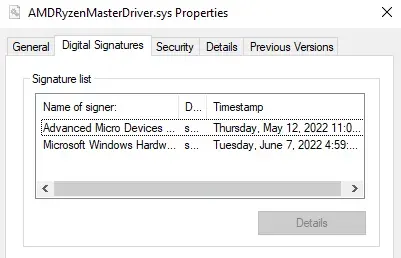
And a check with the driver name, and we found that the driver’s vulnerability has been reported previously around August 2023. Personally, I felt a little bit sad because this is the first bug I found “in the wild” 🤣 but that’s fine I guess haha. I knew that I would find other soon :D Thank Fish so much for guiding me how to check on the reported bug. Seems obviously but I still need to learn a lot more T_T
Exploit Development
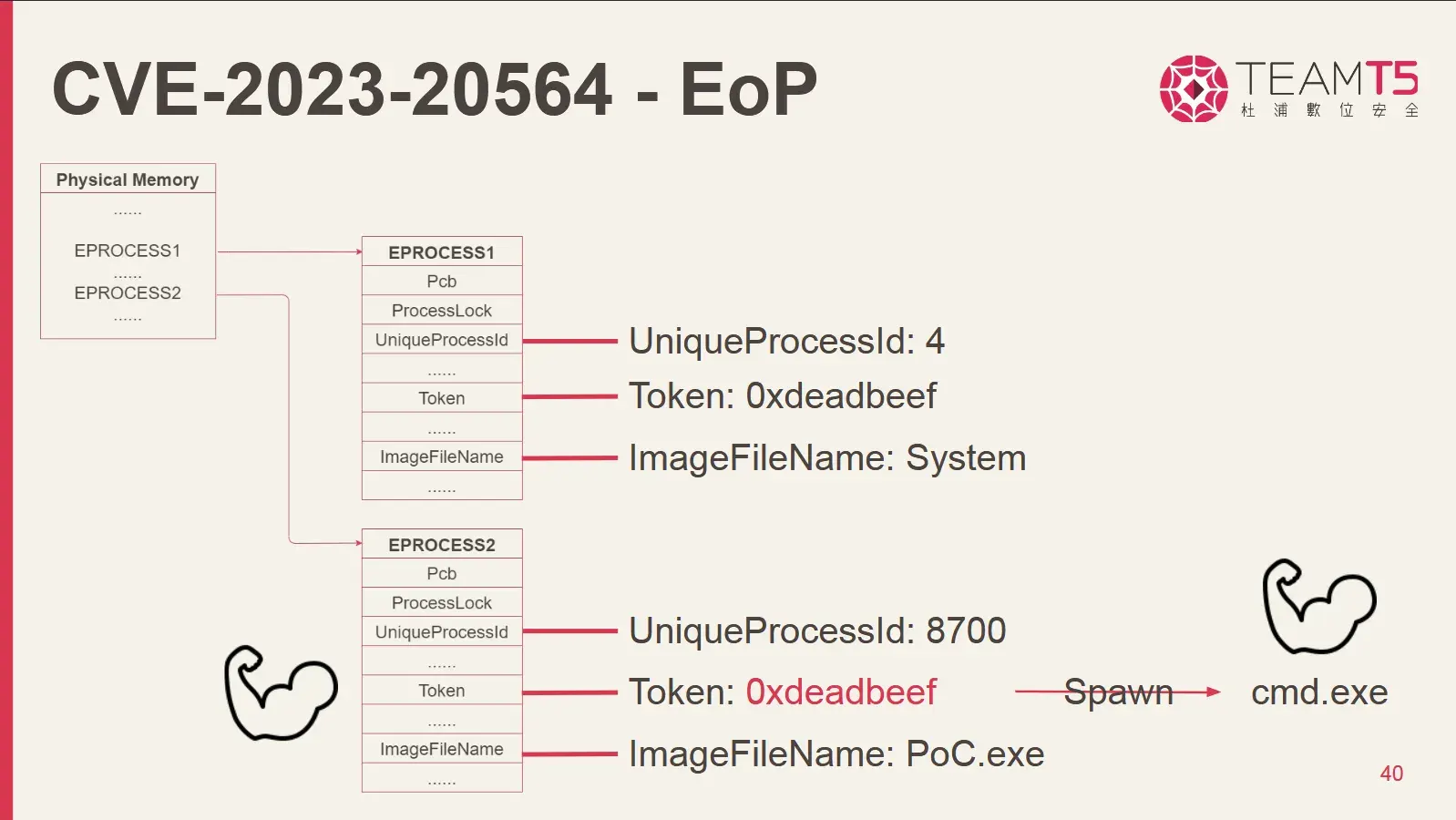
Previously, I have read a blog from @h0mbre_ about developing the exploit for another driver. The detail idea of how you can find _EPROCESS struct in physical memory was described clearly in h0mbre’s blog before, so technically what I did is just reimplement their strategy in adapt to this one. The only different in here is that, we received the content of the physical memory range in the lpOutBuffer, but not a pointer to the mapping of the memory as in the driver that h0mbre exploited. That’s fine as well because I only need a little bit change in the PoC. Basically what we will do is implementing the same strategy as h0mbre_’s post. We will search for a “sweet pot” where there is likely a lot of _EPROCESS struct of SYSTEM process, as well as our cmd.exe process… right?
Anyways, here is the visualization of how the PoC would look like. We go to scan the memory,
Crashes, crashes, and… crashes.
This process is not very crash free. Sometimes I have the BUG_CHECK 0x1a, (0x1233, …) because some memory range is invalid. Within the debugging process, the reason is that some addresses that you try to request a mapping via MmMapIoSpace could go invalid. I often got BUG CHECK 0x1a, 1st parameter is 0x1233
A driver tried to map a physical memory page that wasn't locked. This action is illegal because the contents or attributes of the page can change at any time. A bug in the code made the mapping call. Parameter 2 is the PFN of the physical page that the driver attempted to map.Well, well, well… I have tried on different virtual machines, including a VMWare instance, and a Hyper-V one, with 4GB RAM. But for several trials of guessing the range of the SYSTEM process and Usermode Process, nothing work at all :< I often got crashes in between memory scan… I have also talked with the author, Zeze about the memory range but seems like it is quite random, or I need to spend more time in guessing the memory range :X. In our conversation, he suggested me to do the scan from 0xe1000++, so you can try that (I can confirm that this range could be able to find some SYSTEM processes, but for userspace cmd.exe or powershell.exe, it is obviously not that “in-pattern”). ’
A small little workaround
I have tried a little different approaches. I did a little bit “cheating” in here. Everytime I want to run the PoC, I will check for what is the physical memory of the process. You can effectively find it by using this trick:
- Using
!processto get the virtual address in the kernel space of a SYSTEM process:
0: kd> !process 0 0 lsass.exe
PROCESS ffffab81ac9a9080
    SessionId: 0  Cid: 029c    Peb: 2502cae000  ParentCid: 01f4
    DirBase: 109a00000  ObjectTable: ffff89050557bb40  HandleCount: 1229.
Image: lsass.exe- Using
!ptecommand to take the page table entry address of this virtual address
0: kd> !pte fffff801`10655ca0
                                           VA fffff80110655ca0
PXE at FFFFA9D4EA753F80    PPE at FFFFA9D4EA7F0020    PDE at FFFFA9D4FE004418    PTE at FFFFA9FC008832A8
contains 0000000004D08063  contains 0000000004D09063  contains 00000000020009E3  contains 0000000000000000
pfn 4d08      ---DA--KWEV  pfn 4d09      ---DA--KWEV  pfn 2000      -GLDA--KWEV  LARGE PAGE pfn 2055
So as you may know, the default page size in Windows is 0x1000. The PTE column (right-most) shows the page table entry of the memory, and multiply it with the page size, we can have the physical memory address! 0x2055 * 0x1000 = 0x2055000. Personally, I preferred this way comparing to the !vtop command because sometimes, the !vtop command crashes :/?
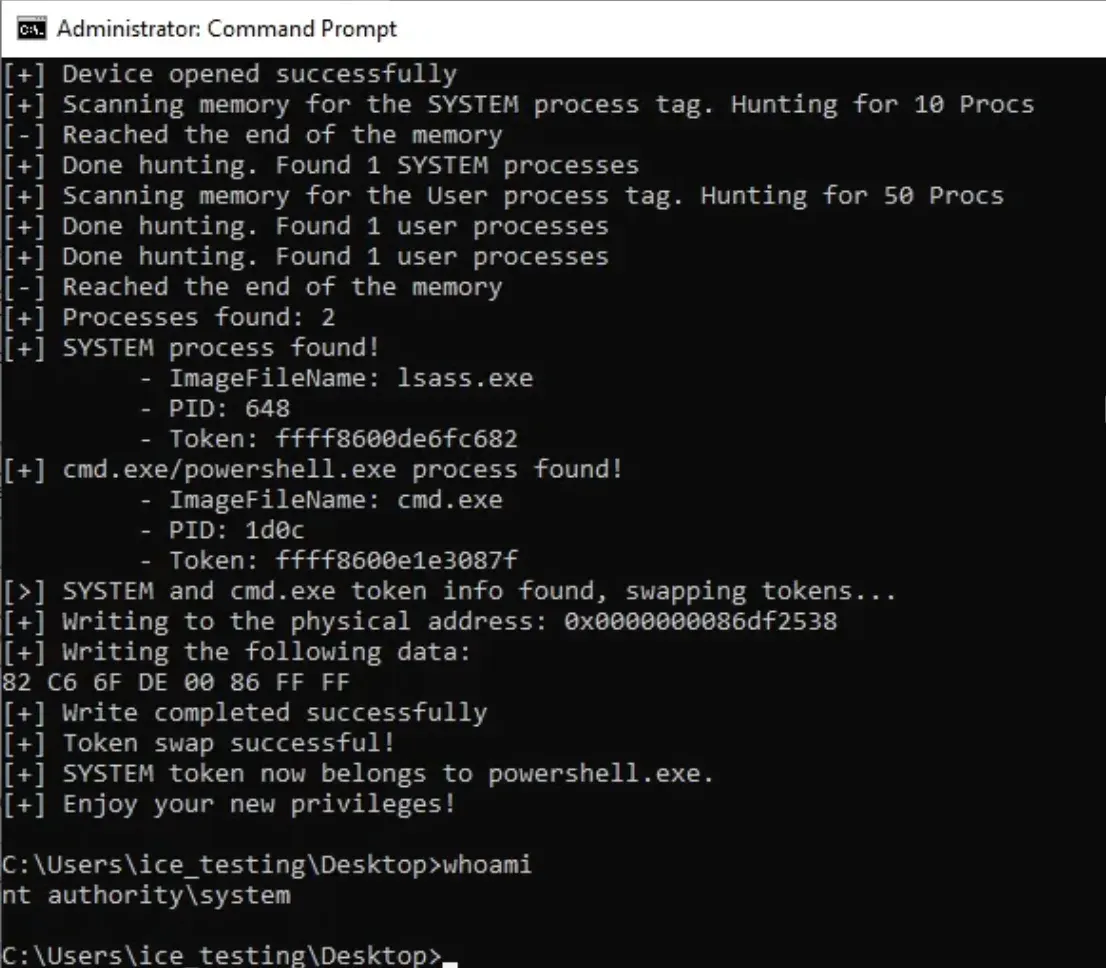
You may snipe your cmd.exe/powershell.exe process, and a SYSTEM process for this. The PoC is done on Windows 10 22H2, and you can find it here
Timeline (dd/mm/yyyy)
- 01/12/2024: Finding the driver is still being used in ASUS ROG Zephyrus G14 GA401QC (Or more specifically, ROG ARMOURY CRATE version
5.9.9.0, latest version for ) - 02/12/2024: Developed the PoC. Finding out the driver is previously noted as vulnerable: CVE, AMD page, LOLDrivers.
- 04/12/2024: Reported the issue to ASUS with PoC and details included. From 01/12/2024 to 21/01/2025, the post is still being hidden from my blog post for triage.
- 16/12/2024: ASUS confirmed with AMD about the issues.
- 20/01/2025: ASUS scheduled the new version of Armoury Crate 6.1.13, which will be released at middle of February, 2025. ASUS & AMD is building a complete issue report mechanism to make sure the (current) reported issues can be resolved soonest.
- 20/01/2025: Requested permission from ASUS to release this blog post. ASUS accepted.
- 21/01/2025: Blog released.
TO BE UPDATED
Reference:
- CVE-2020-12138 Exploit Proof-of-Concept, Privilege Escalation in ATI Technologies Inc. Driver atillk64.sys
- Uncovering Kernel Exploits: Exploring Vulnerabilities in AMD’s Windows Kernel Drivers, TeamT5 Engine Team - Zeze
- CVE-2023-20564 page
- BUG CHECK 0x1a
- Vergilius Project’s Windows 22H2 _EPROCESS
- Other mentioned documentations from Microsoft.